Using locales
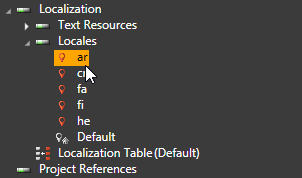
Kanzi uses locale as an ID to select resources associated with a language and location. The default locale is the locale that Kanzi uses when the resources for the selected locale do not exist. Locales in your Kanzi application are listed in Library > Localization > Locales.
Learn how to localize your Kanzi applications by completing the localization tutorial. See Localizing your application tutorial.
Changing the application locale
To set or change the locale for your Kanzi application:
- Create a trigger with which you want to set or change a locale.
For example, create a Button and use the Button: Click trigger.
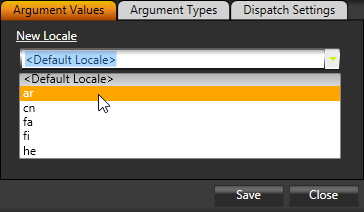
- In the trigger add the Set Locale action and set the New Locale property to the locale which you want to change to.

Setting locales to display complex scripts
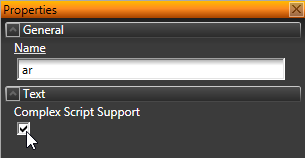
In the Library > Localization > Locales select the locale, and in the Properties enable the Complex Script Support property, if you want to:
- Show text in languages that write right-to-left.
- Use line breaks according to the Unicode line breaking algorithm.
- Use ligatures.
Adding a locale manually
Kanzi uses locale as an ID to select resources associated with a language and location. The default locale is the locale that Kanzi uses when the resources for the selected locale do not exist.
When you import a localization table, Kanzi automatically adds a locale from that localization table, if the locale with the same name does not already exist.
To add a locale manually:

- In the Library > Localization double-click the localization table to which you want to add a locale.
The Localization Table Editor opens.
- In the Localization Table Editor click Add locale and name the new locale.

Renaming a locale
To rename a locale:
- In the Library > Localization double-click the localization table that contains the locale you want to rename.
The Localization Table Editor opens.
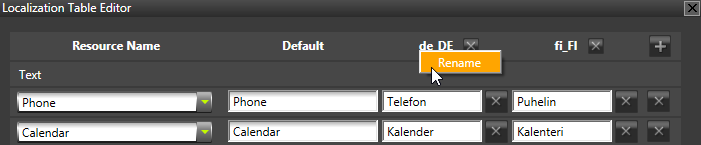
- In the Localization Table Editor right-click the locale you want to rename, select Rename, and enter the new name for the locale.
Kanzi renames the locale in all localization tables in the Kanzi Studio project.

Setting the application startup locale
Application startup locale is the locale that your application uses when users first open your application.
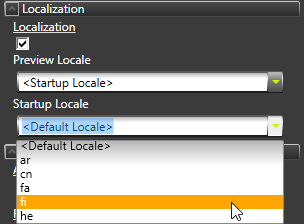
To set the application startup locale, in Kanzi Studio in the Project select the project root node and in the Properties set the Startup Locale property to the locale you want to use when users open your Kanzi application.
Setting the Kanzi Studio Preview locale
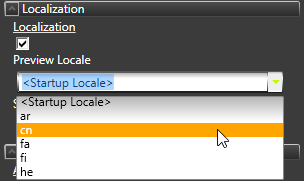
To set the locale you want to view in the Kanzi Studio Preview, in the Project select the project root node and in the Properties set the Preview Locale property to the locale you want to view in the Preview.
Finding out when locale changes
You can find out when the locale in your Kanzi application changes by using the Locale Changed trigger.
To find out when locale changes:
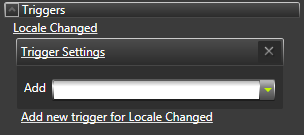
- In the Project select the object to which you want to add the trigger, in the Properties click Add Triggers, and add the Locale Changed trigger.
Add the trigger to the object where you want to find out about the locale changes. For example, add the trigger to the Screen.

- In the Properties click the add drop-down menu, and select the action you want to use as a notification about the locale change.
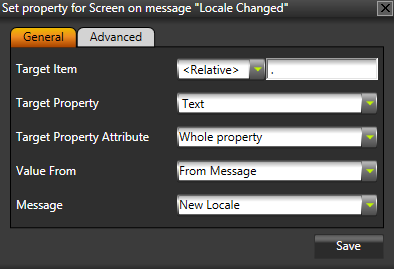
For example, use Set Property action and set:
- Target Property to Text
- Value From to From Message
- Message to New Locale

See also
Localizing your application tutorial
Localizing Kanzi applications
Internationalization
Using text blocks
Using text layers
Importing fonts
Localization
Open topic with navigation